
Install the app
Install the MinAuctions app on Android
The MinAuctions app is not distributed through the Play Store. It installs directly from our website in less than a minute: no download from a store, nothing to pay, and it always stays automatically up to date.
Once installed you open MinAuctions like any other app, in full screen and without the browser bars — perfect for following live auctions, watching lots and bidding quickly.
What you need: an Android phone or tablet with Chrome (or Edge, Samsung Internet or Firefox) and your usual internet connection.
Using an iPhone or iPad? Follow the iPhone installation guide instead.
Open minauctions.com in Chrome
Open the Chrome browser on your Android device and type www.minauctions.com in the address bar, then load the page.
Open the Chrome menu
Tap the three vertical dots (⋮) at the top right of the browser to open the menu.
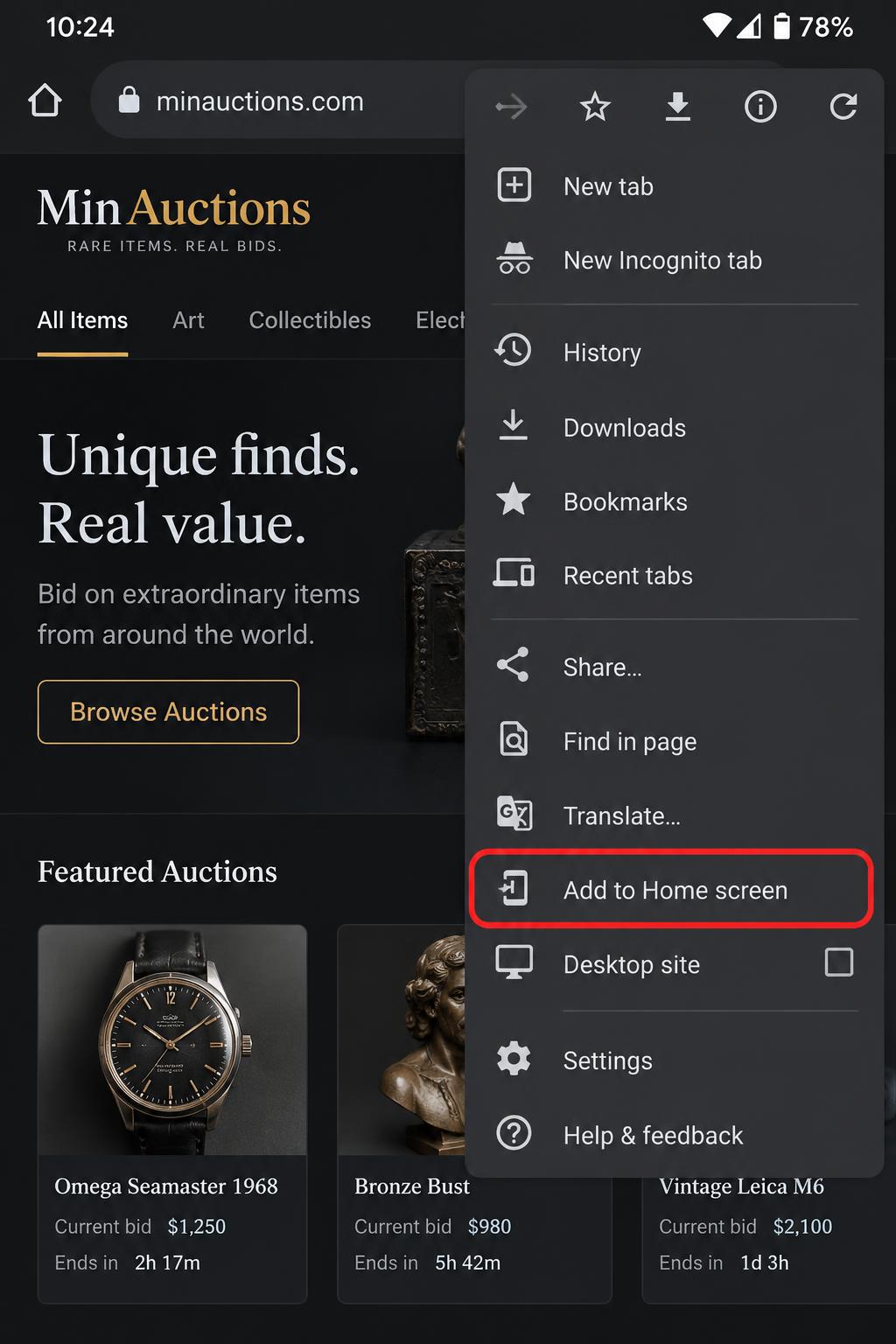
Tap “Add to Home screen”
In the menu, tap Add to Home screen. If you see Install app instead, choose that one — it does exactly the same thing.
Confirm with “Install”
A small dialog appears with the MinAuctions name and icon. Tap Install (or Add) to confirm.
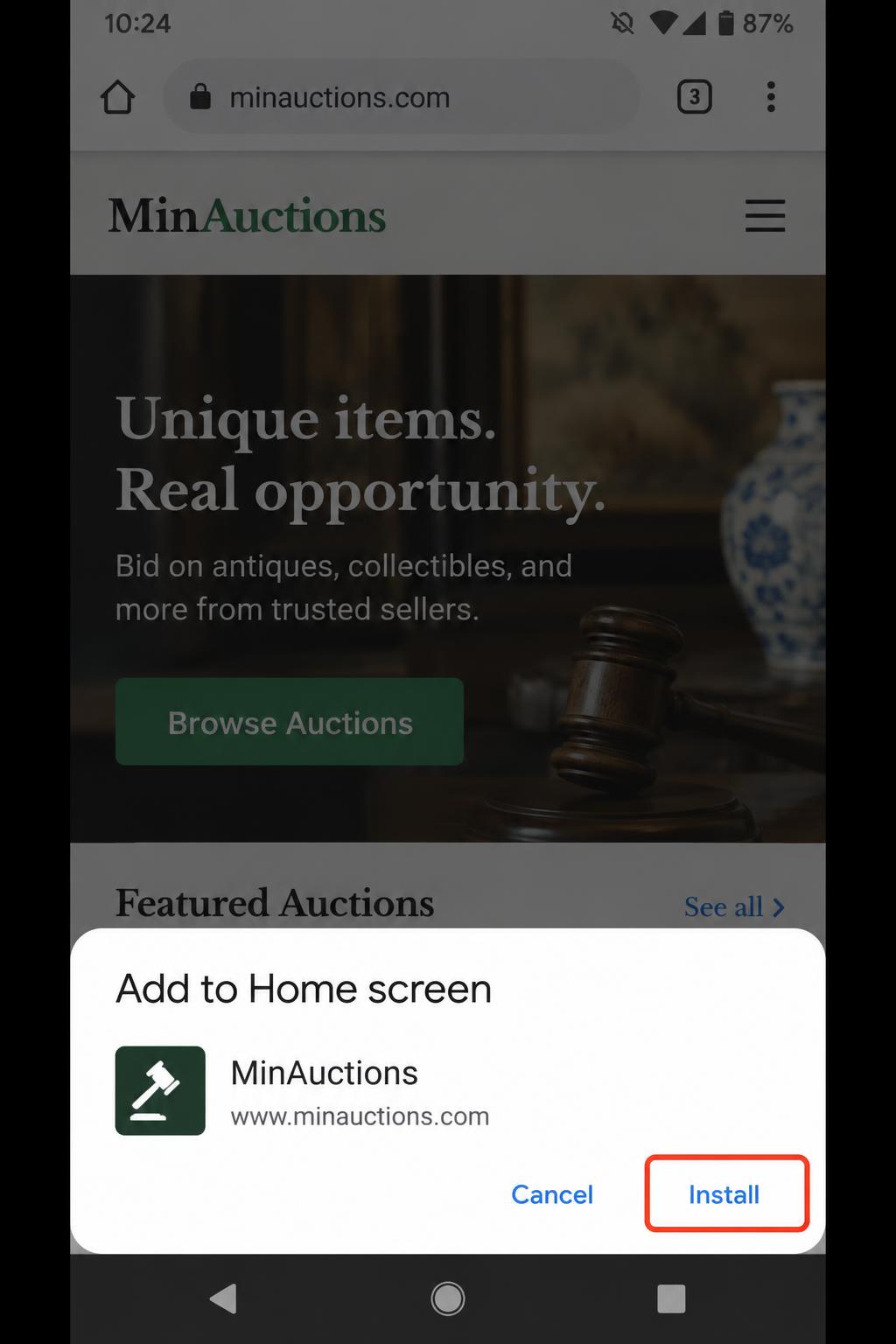
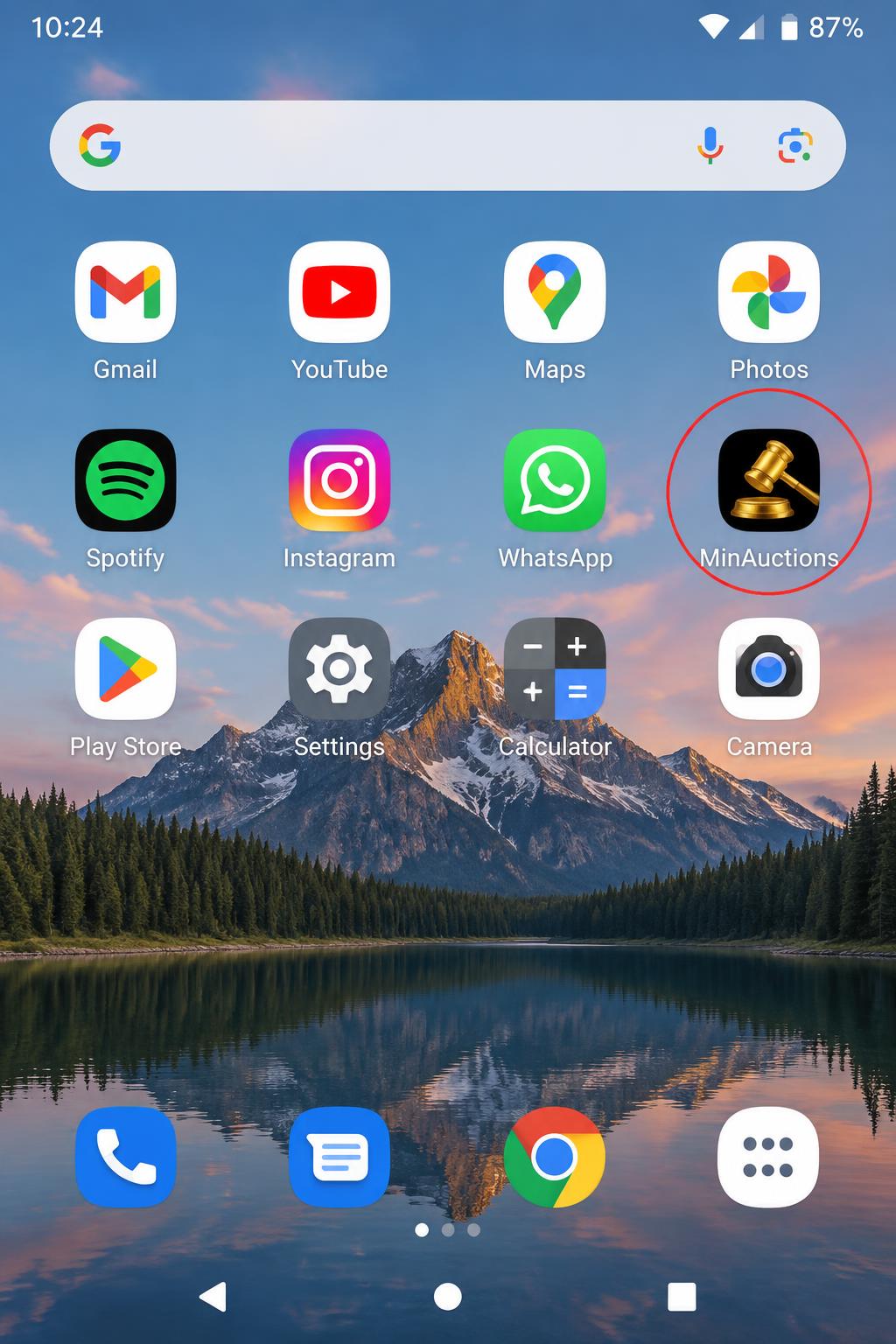
Open the app from your home screen
The MinAuctions icon now appears on your home screen (or in the app drawer, together with your other apps). Tap it: the site opens full screen like a native app, without browser bars.
Good to know
- The app is free and updates itself automatically: you never have to reinstall it.
- You sign in with the same account you use on the website — your bids, watchlist and won lots are always in sync.
- To remove it, long-press the icon and choose Remove (or Uninstall).
- Do not find the menu entry? Update Chrome from the Play Store and reload the page.